 Blog
Photographing targets: 7 photo mistakes that ruin the scan
Almost every failed paper-target scan in Ring Reader comes down to one of seven causes: a dark background, the wrong screen view, a cut-off screenshot, reflections, a skewed angle, too low a resolution, or too much in the frame. Each of them can be avoided.
By now we have seen plenty of photos where detection wasn’t quite right, our own and uploaded ones. In almost every case the photo was the problem. We covered the three most common cases in detail before, and here is the complete list.
1. The target sits on a dark background
This is the most common mistake. If the target lies on a dark table or a wooden board, there is too little contrast between the black bull and the background. Detection fails.
Fix: put a bright sheet underneath. White paper works, yellow construction paper is even better, especially for shots outside the black bull. You’ll find details in the chapter Scan a target.
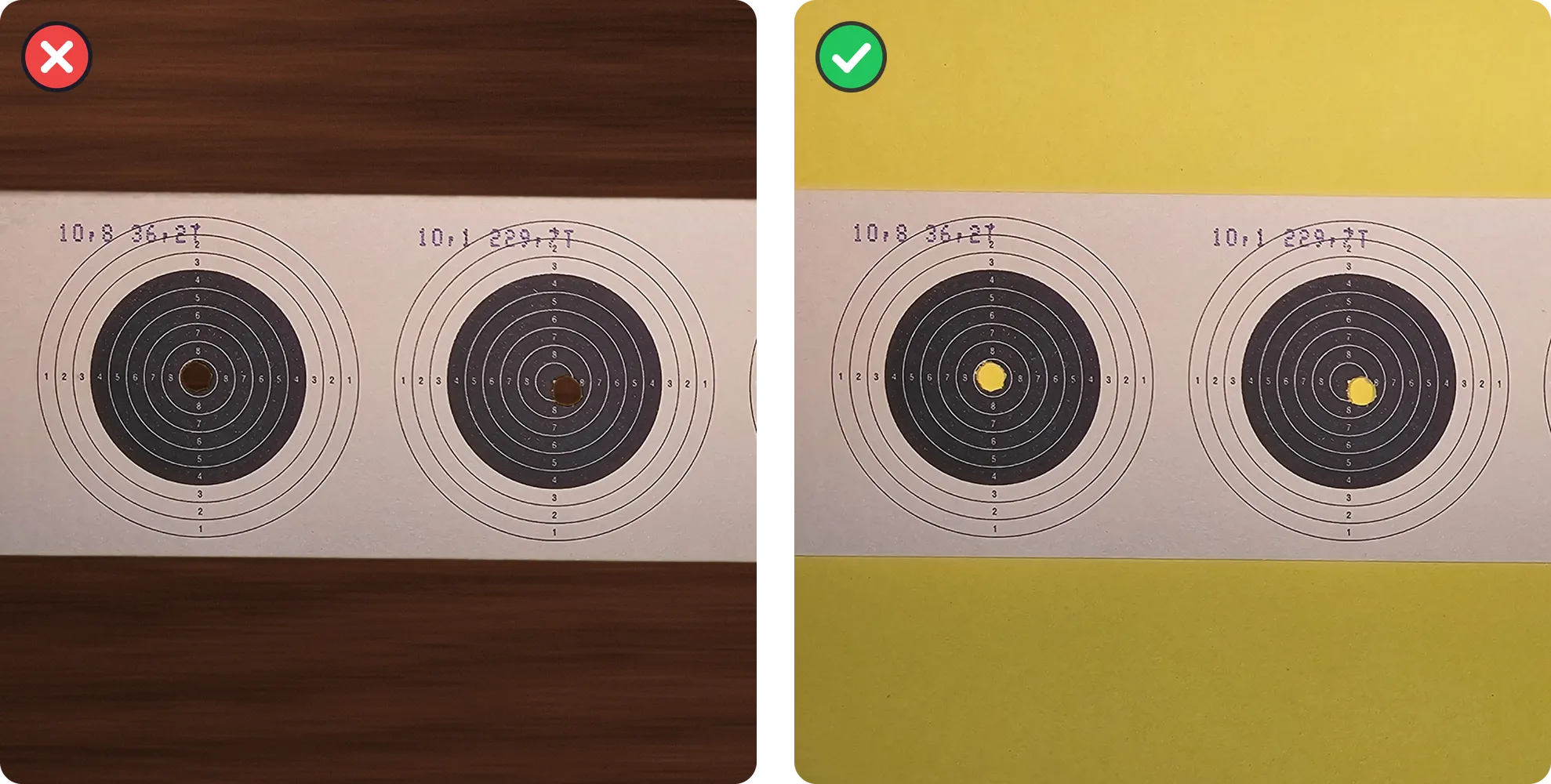
2. The wrong screen is in the picture
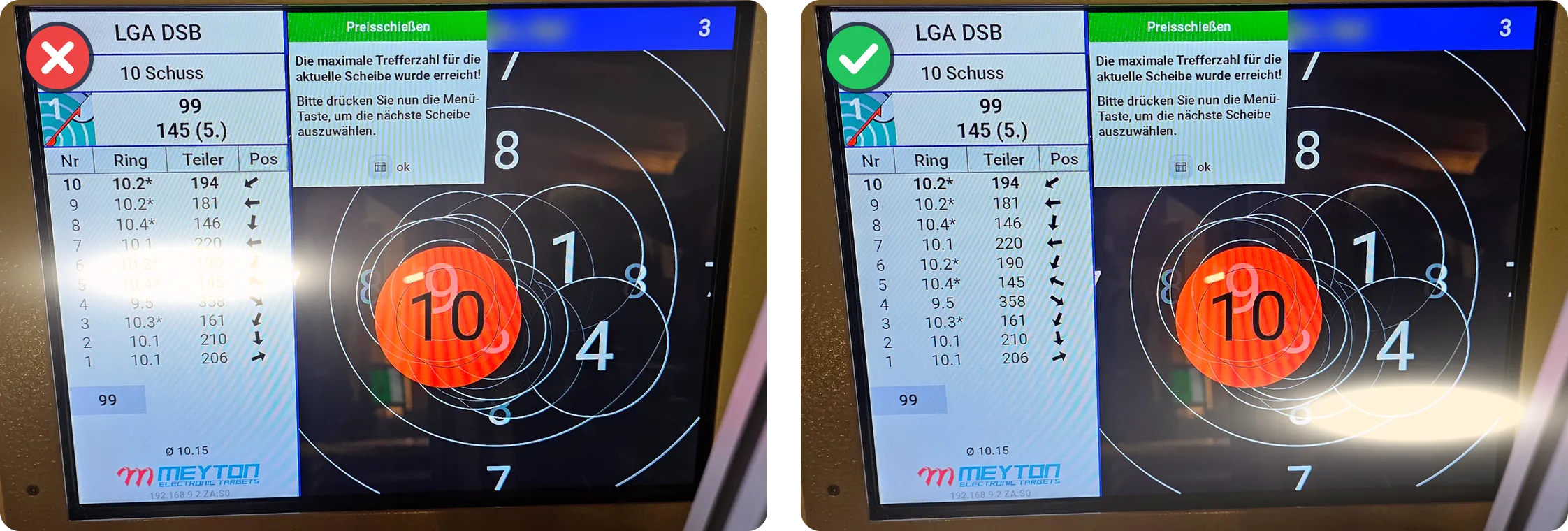
The live hit display on a Meyton or DISAG looks complete but contains no readable numbers. Ring Reader needs the scoring view, the shot list with shot numbers, ring values, Teiler and deviation arrows. On Meyton, switch to the scoring view. On DISAG, open the Rückschau, on tablets too. Without the shot list in the picture the app has nothing to read, however sharp the photo is.
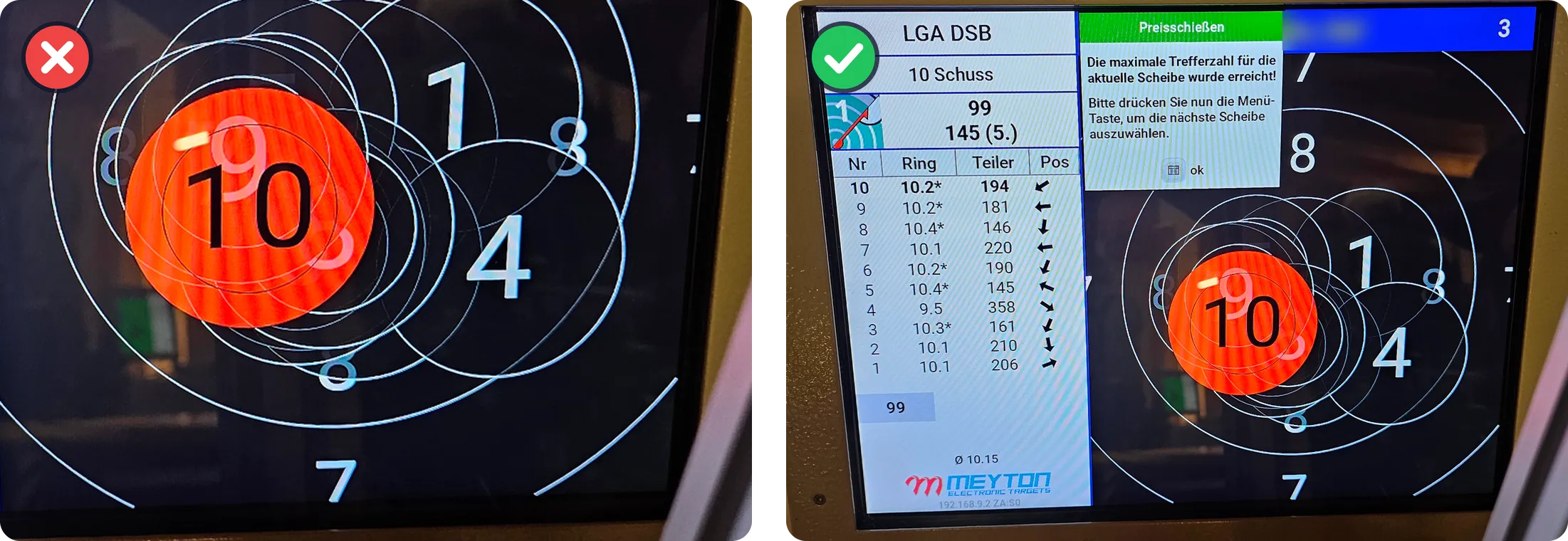
3. The screenshot is cut off
Long result lists (DISAG ShotsApp, BlackHole) don’t fit on one screen, and with a normal, too-short screenshot the lower shots go missing without any error message. Fix: scroll capture on Android, an app like Picsew on iPhone, or in the ShotsApp the overview plus one screenshot per series, all uploaded together. You’ll find step-by-step instructions under Capturing app screenshots completely.
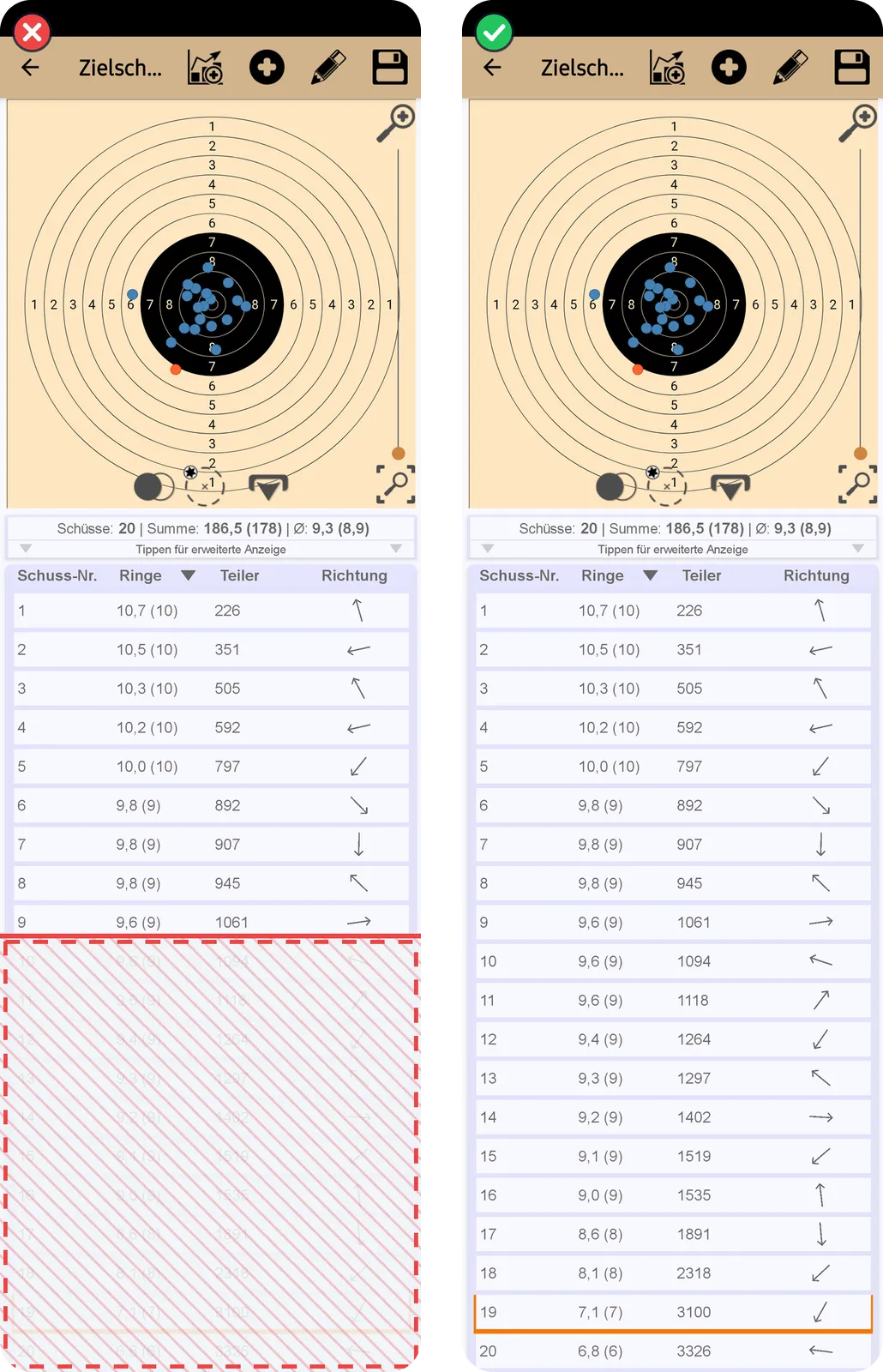
4. Reflections on the screen
Range monitors are glossy, and the hall lighting likes to sit right above the shot list. A lamp across the Teiler values makes the row unreadable. Fix: step half a pace to the side and tilt the phone slightly until the reflection is no longer visible. Get the whole screen into the photo, with the shot list and the target view.
5. Too steep an angle
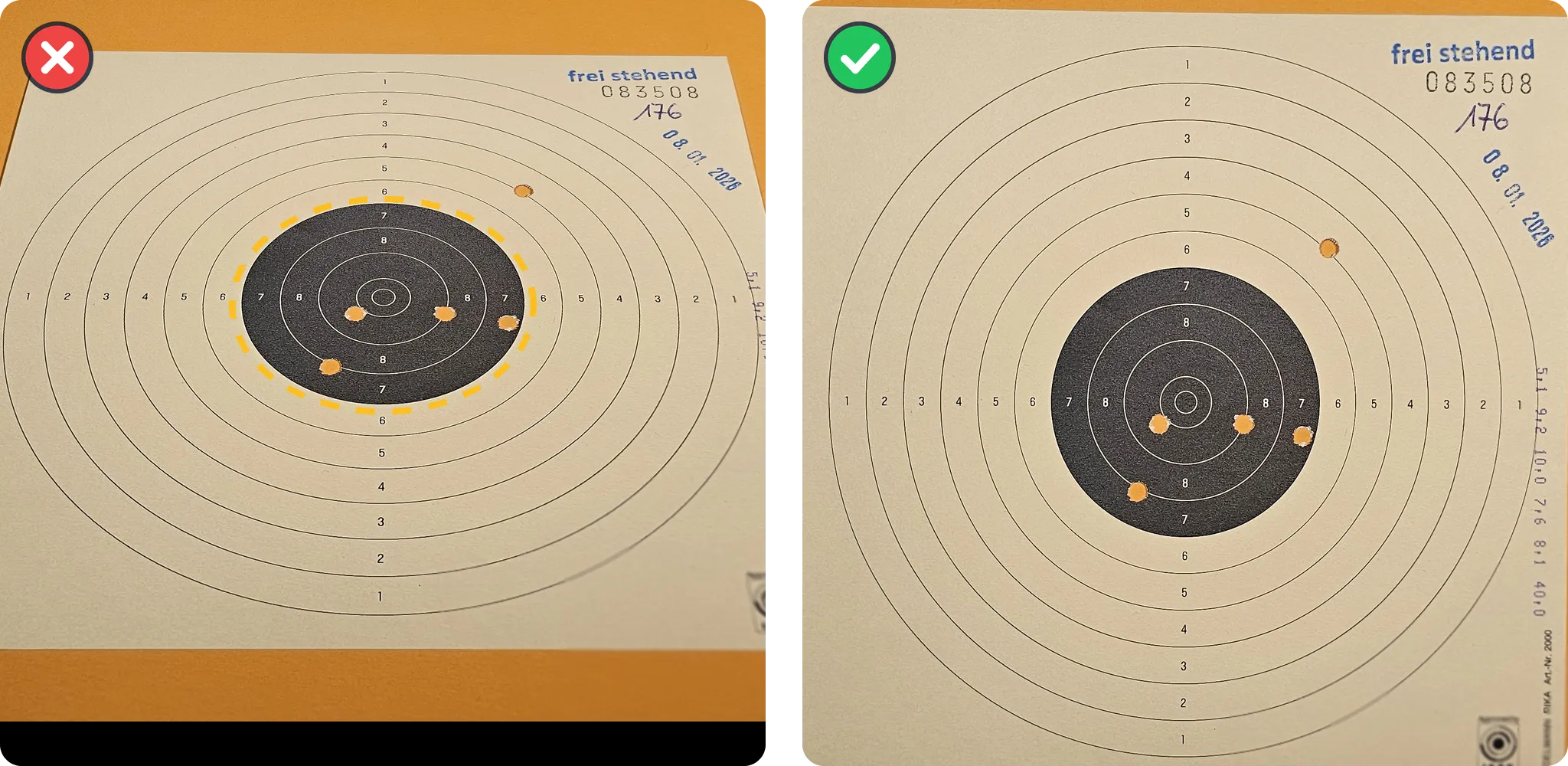
At 45 degrees a round bull turns into an ellipse, and the digits of the shot list get harder for text recognition to read. Detection tolerates a slight tilt, and the steeper the angle, the more it has to guess. Fix: hold the phone as straight above the target as you can, or square in front of the screen, parallel to the surface you’re photographing.
6. Resolution too low
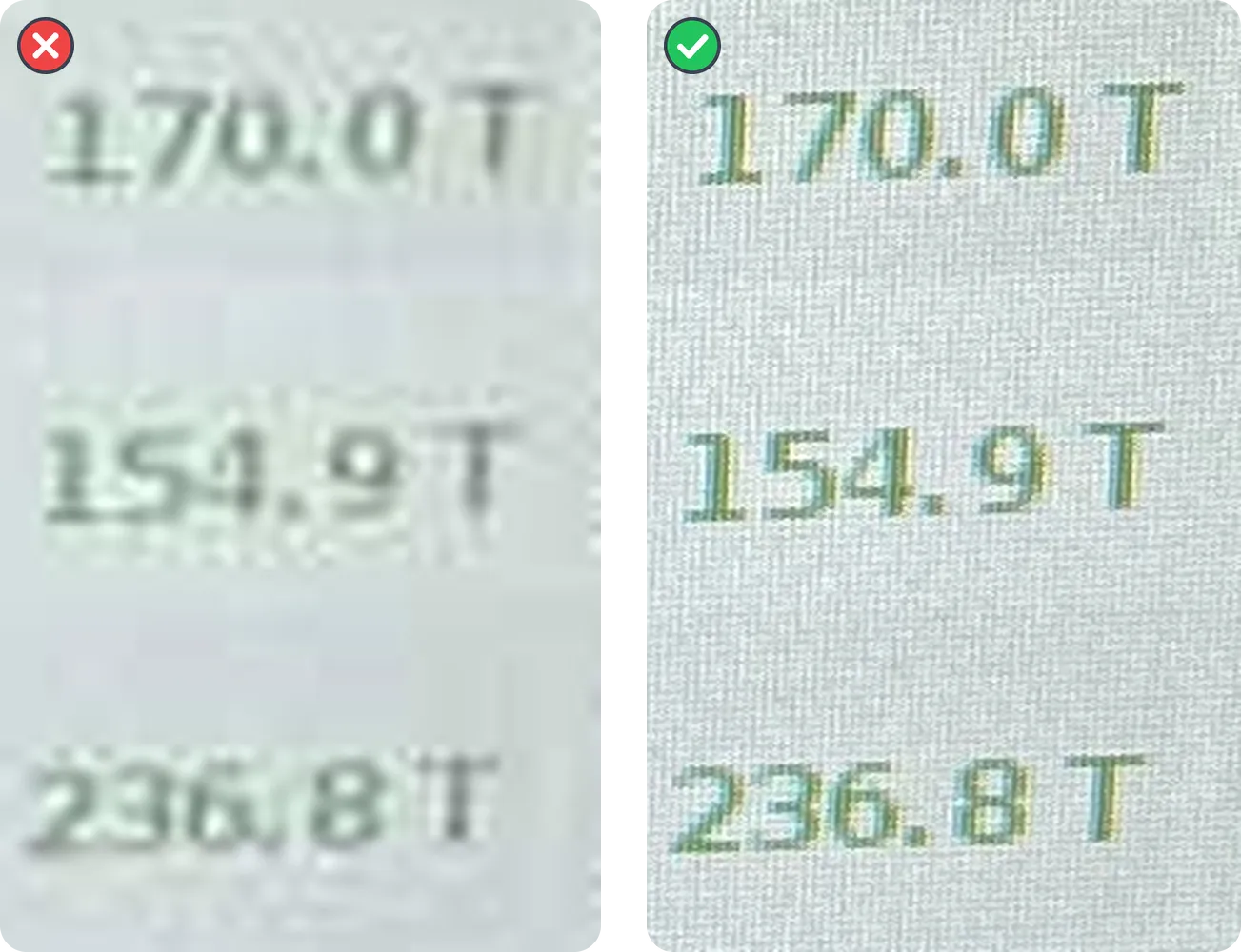
The photo was fine, but it arrived via WhatsApp. Messengers compress images heavily, and fine hole edges and small Teiler digits turn blurry and indistinct. The app warns when the resolution is too low. Fix: pass photos on as a file or in original quality, or scan on the phone that took the picture, then the image never goes through a messenger.
7. Too much in the frame
In a shot of the whole firing point, the target or the screen is somewhere in the frame, next to the bench, people and plenty of other things. Detection often works anyway, but the usable resolution per bullet hole drops noticeably. Fix: get closer, until the target or the screen fills the frame. For paper targets 20 to 30 cm is enough. Digital zoom doesn’t help here, so take a step closer instead.
The checklist before the photo
- A bright, plain-colored sheet under the target
- Scoring view or Rückschau, no live hit display
- Long lists as a scroll capture or one screenshot per series
- No reflections in the picture
- Shoot head-on, phone parallel to the surface
- Pass on the original, no messenger copy
- Fill the frame with the target or the whole screen
More photo practice, including light, in the chapter Tips & tricks.
Try it at your next training session: with a good photo you’ll have your result in seconds.
Open Ring Reader