 Blog
Blog
Why we need error photos
When recognition did not work properly, “Report detection issue” is shown below the result. One click opens the dialog for sending the photo. You can also tell us what exactly went wrong. And you can send your email address along if you want an answer. By itself the app sends nothing. Every one of these photos becomes another test case for us that helps us improve recognition across all kinds of formats.
What the report holds
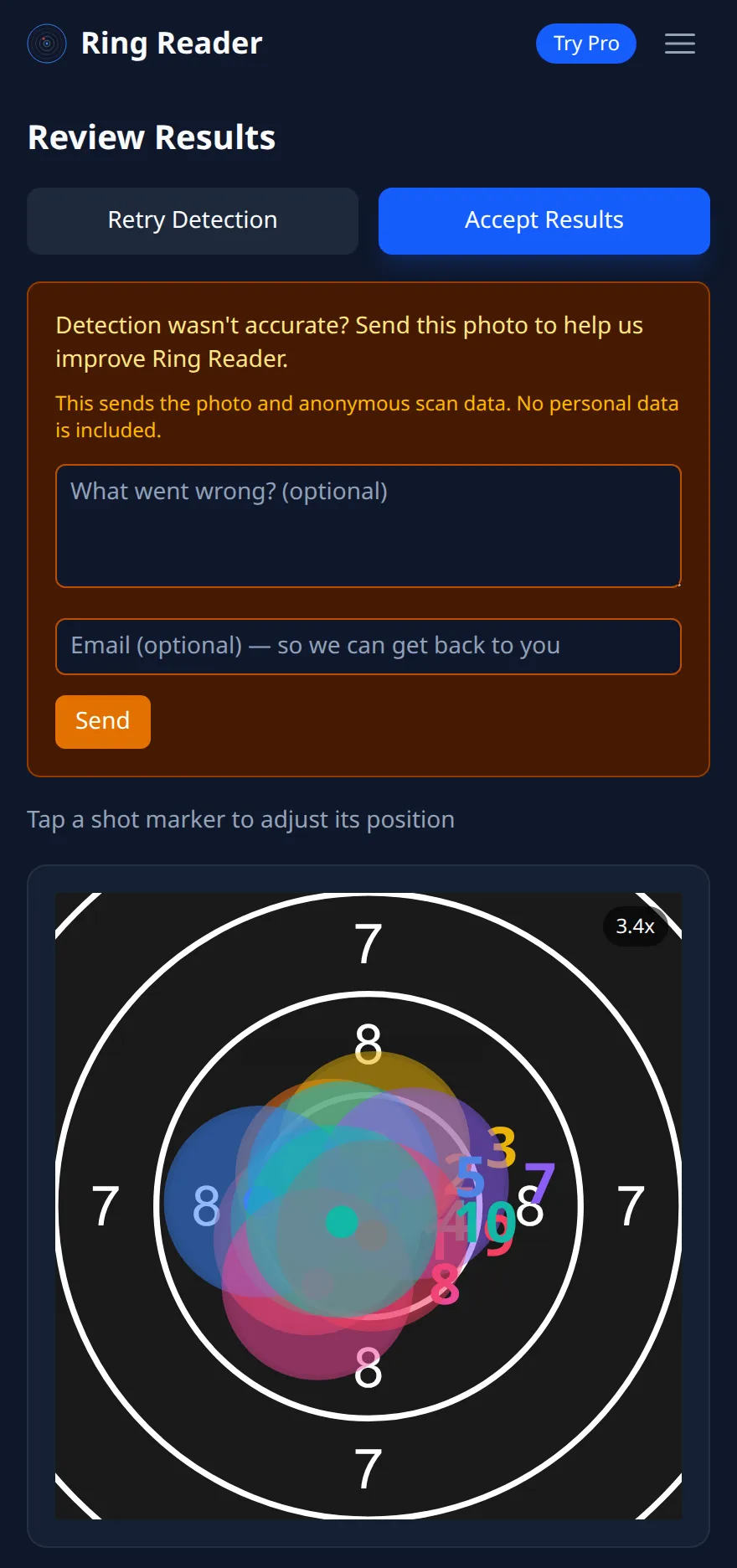
The prompt appears after a scan where something did not fit, say when fewer shots were found than expected, and as a small link below every result. What gets sent is the photo and the anonymous scan data, meaning what the app recognized and with which settings, without a name, without an account, without your History. The note about it is on the card: “This sends the photo and anonymous scan data. No personal data is included.” On top you can write in “What went wrong?” what you saw, and give an email address. Without the address your feedback arrives just the same, we just cannot reply to you.
The same prompt exists for imports. If the app comes across an unknown result format, it asks: “We don’t recognize this format yet. Send it to us so we can add support.” If an import is incomplete, it asks for the original, and for a PDF it could not read, for the file.
What we do with it
A photo that was not recognized correctly is the most valuable photo for us. It becomes another test in our collection: the image, the expected result, and the check runs with every change to recognition, so an error we fixed once does not come back with the next update. That is how the recognition of DISAG screens came about on which only the target without a table is visible, and how the collection of paper targets under bad light grew against which the hole search is measured today.
When a report pays off
A wrongly recognized target, a printout recognized as a paper target, a screen photo that turned into a series with three shots, an import with a series that carries the note to check: all candidates. A photo where the app asked you for a better one helps too, because it shows us where the limits of what is possible lie. What makes recognition fail from the start is in Why won’t my photo import?.
Write into the line what was on the target: “12 shots, 3 missing bottom left”. That saves us time and you a possible follow-up question.
Frequently asked questions
Does the app send photos without my doing?
No. A report goes out only on “Send”. Paper targets otherwise never leave the phone.
Do I get an answer?
If you give an email address, yes. Without an address the report is anonymous.
What happens with the photo afterwards?
It becomes a test case in our collection and stays there for checking recognition. Personal data is not in it.
At the next photo that does not work: “Report detection issue”.
Try it