 Guide
Guide Review the Result
Detected shots
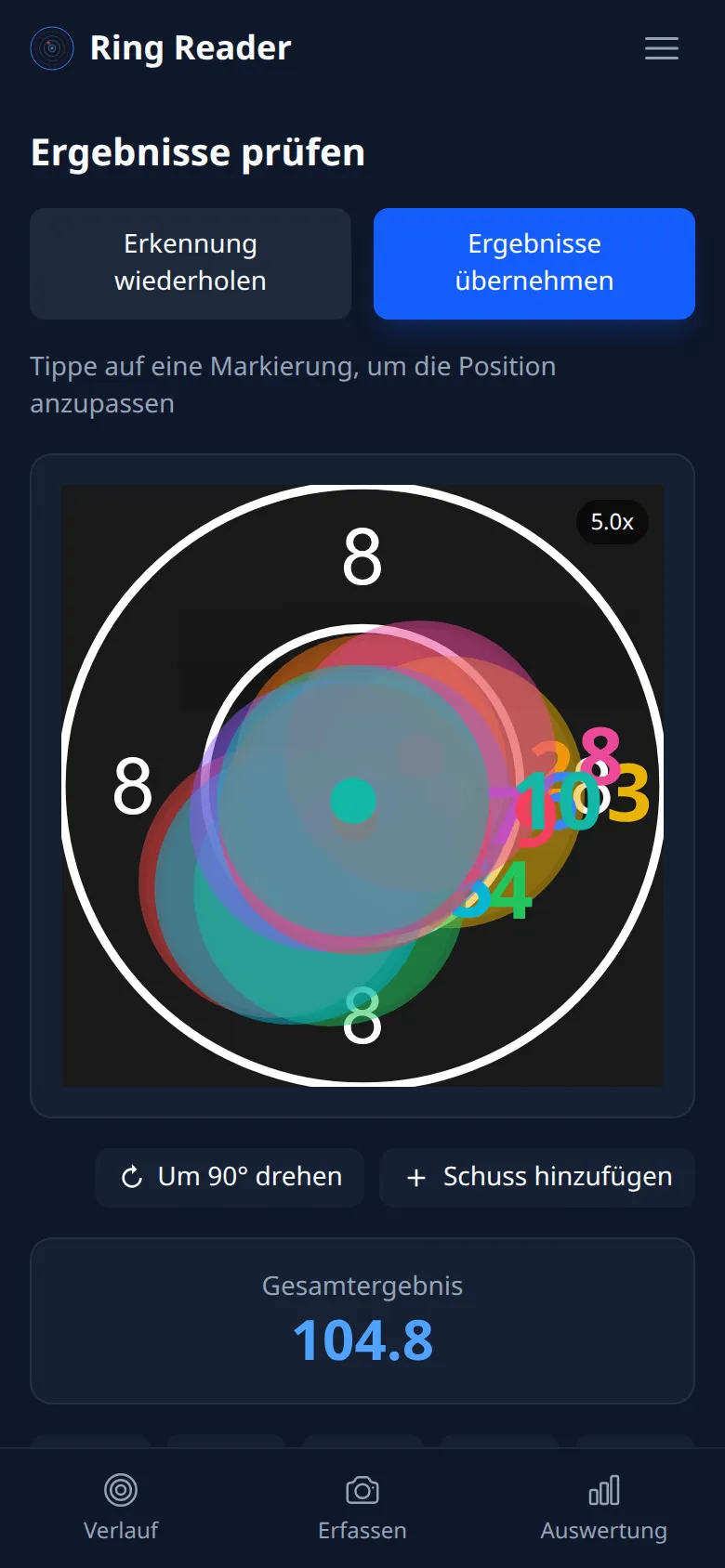
After the analysis, the review view shows all detected shots on a single target card:
- Each shot is numbered and shows its ring score and Teiler.
- The total score is displayed at the bottom.
Checking the shots
- Tap a shot number to select that shot — it’s highlighted on the target card while the other shots fade into the background. The selected shot clearly stands out.
- Check that the shot’s position was detected correctly. The target view zooms up to 100× — enough to inspect every single shot precisely.
Moving a shot
If a shot is slightly off:
- Tap a detected shot to select it.
- Then drag it to the correct position on the target.
- The ring score updates immediately.
For precise positioning, you can pinch to zoom into the target with two fingers.
When a shot is selected, a card at the bottom shows the current ring and Teiler.
Adding a shot
If a shot wasn’t detected, you can place a new one using the “Add Shot” button. Then tap the spot on the target card where the shot sits — the new shot is scored automatically.
Deleting a shot
If a shot was detected incorrectly:
- Select the shot.
- Tap the delete button (trash icon).
Manually created or corrected results are not counted in Competitions.
Rotating the image
If the image is oriented wrong, use the rotate button to turn the shot pattern in 90° steps.
Pay close attention to the correct orientation of the shot pattern. The way the individual shots appear in Ring Reader must match the actual shot pattern on the target. Otherwise the direction of the deviations won’t be calculated correctly.
Missing shots
If the number of detected shots doesn’t match the expected count, Ring Reader shows a warning. You can add missing shots manually.
Dense shot patterns
When several shots punch through nearly the same spot, automatic detection can miss individual hits — two holes merge into one. Ring Reader recognizes such dense shot groups and shows a dedicated hint: “Dense cluster detected — overlapping shots may be undercounted. Please verify the count.” In that case, recount the shots on the real target and add any missing hits with “Add Shot” right inside the dense group.
Accept or retry
- “Accept Results”: Saves the result as a series.
- “Retry Detection”: Discards the result and returns to the Capture page.
If detection didn’t work, Why your photo won’t import shows the most common causes. “Report detection issue” below the result sends us the photo; what we do with it is covered in Why we need error photos.
Always compare the shot pattern with the real target before accepting — especially with dense groups.