 Guide
Guide History & Management
The history is where you find and manage all saved series — with search, filters and bulk editing.
Opening the history
- Tap the “History” tab in the bottom navigation.
- All saved series are shown as cards, sorted by date.
- Tap a card to open the series details.
- Use the “Series”, “Groups” and “Calendar” tabs to switch between individual series, your series groups and the calendar view.
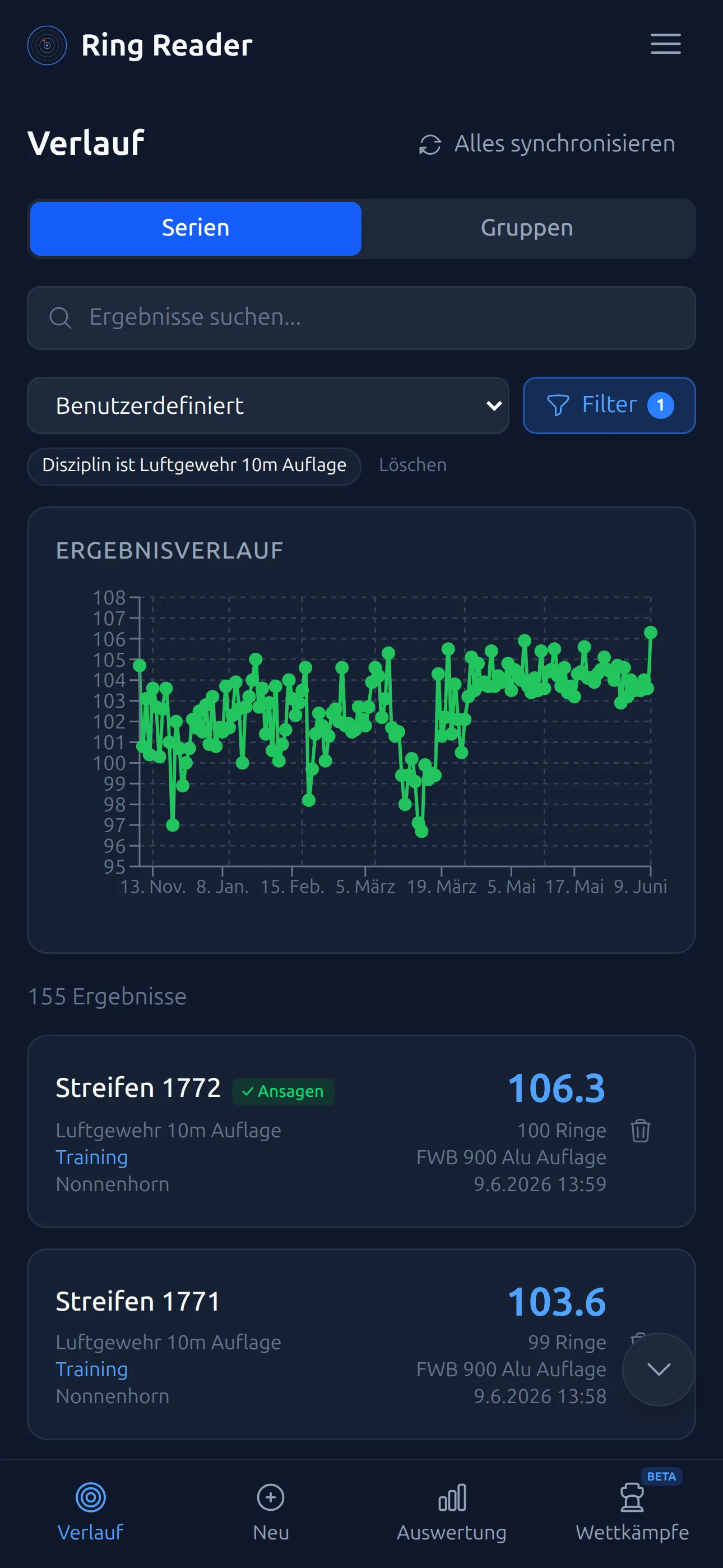
The history remembers your scroll position: if you open a series and come back, you’re exactly where you left off. The buttons on the right edge jump straight to the top or bottom.
Searching
- Use the search field at the top to find series.
- The search covers title, date, weapon, location, notes, tags, session type and ring score.
Filtering
Tap the filter button next to the search. You can filter by the following criteria:
- Date range — presets such as “This month”, “Last 3 months”, “This year” or your own from/to range.
- Discipline — e.g. Air Rifle 10m, Air Pistol 10m or Small Bore Rifle 50m.
- Weapon, Location and Tags — as soon as you’ve created some.
- Type — Training, Match, Dry Fire or Sighting.
- Score range — show only series with a ring score between min and max.
Each category can be set to “is” or “is not” — letting you, say, deliberately exclude one weapon. Save combinations you use often via “Save as preset…” and recall them later with a single tap.
Calendar
The “Calendar” tab shows a year grid at the top with one cell per day (blue = training, yellow = match) and the current month below it. Tap a day to open that day’s series; the arrows switch year and month.
Syncing
With Pro, your series are synced to the cloud automatically. The “Sync all” button at the top of the history triggers a sync manually at any time — handy when you’ve just switched devices.
Multi-selection
Press and hold a series card (on a PC: right-click) to start selection mode. Tap additional cards to select them.
Bulk editing
In selection mode, an action bar appears at the bottom with the following actions:
- Delete (trash icon): Delete all selected series at once.
- “Edit”: Change date & time, discipline, scoring (decimal or whole rings), type, weapon and location for all selected series at the same time, and add or remove tags. Fields you leave empty stay unchanged. For the date, the series get one-second offsets so their order is preserved; a new discipline rescores the shots.
- “Group” (Pro): Combine the selected series into a new or existing group.
Deleting series
- To delete a single series, use the trash icon on the right edge of its card in the history. Confirm the deletion in the dialog. In selection mode the icon is hidden — there, the Delete action in the action bar handles deleting all selected series.
- Demo series are shown separately. Use “Delete all demo data” to remove them all at once.
Importing results
Besides scanning targets, you can also bring in results from other sources — for example from WM-Shot files or Meyton PDFs. Imported series appear in the history just like any other. More on this in Import Results.
In the free version you can store up to 10 series. The counter shows how many slots are still free. With Pro there’s no limit. If you’re close to the limit, delete old sighting series or demos first. What your first ten series already tell you is covered in Your first ten series.