 Guide
Guide Getting Started
What is Ring Reader?
Ring Reader is an app for recording shooting results for air rifle, air pistol, small-bore and the other DSB disciplines. Photograph your target, and Ring Reader automatically detects the shots and calculates your ring score in ISSF decimal scoring. You can also bring in results from electronic scoring systems such as Meyton or Disag. More on that in the chapter Import results. Your results are saved, so you can track your progress at any time.
Analyzing your results lets you see your progress and identify areas for improvement, so you can improve your shooting and your scores. In addition, Ring Reader gives you the option to take detailed notes on your training and keep a training diary. What your first series already tell you is covered in the blog post Your first ten series.
Ring Reader runs right in your browser, but you can also install the app on your home screen like a “real app” and run it in full-screen mode (see the chapter Install the app).
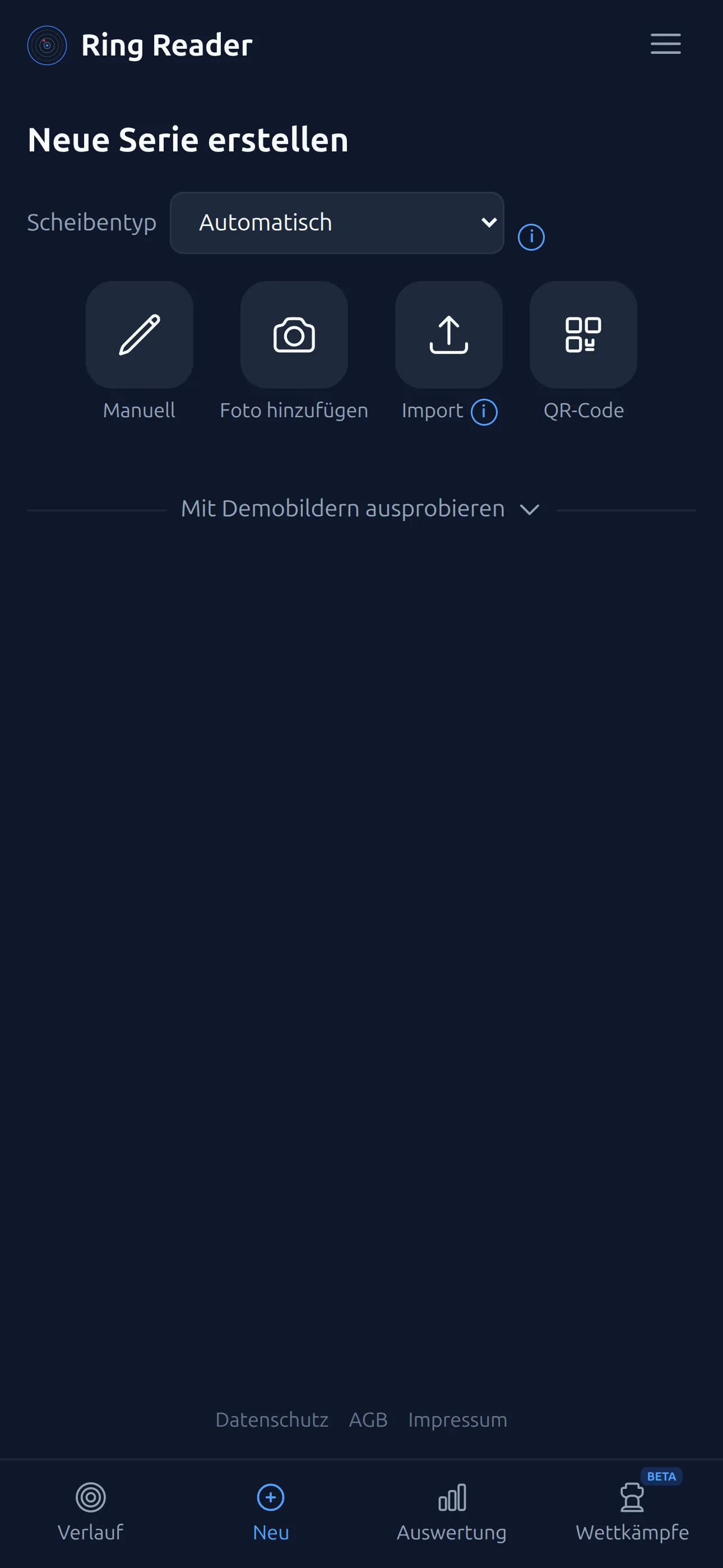
App overview
The navigation is kept simple:
- Bottom: Four tabs — “History” (target icon), “New” (plus icon — opens the Capture page for scanning and recording), “Analytics” (bar chart), and “Challenges” (trophy icon).
- Top right: Hamburger menu (☰) with “My Notes”, “Settings”, “Pricing”, “Guide”, and “About”.
- Top left: The Ring Reader logo and sync status (when you’re signed in).
Free & Pro
You can start using Ring Reader for free right away. For everything else there is Ring Reader Pro, a yearly subscription:
- Free: Scan and score targets, all imports (photo, file, and QR code), enter results manually, store up to 10 series locally, statistics across those series, share score cards and result links.
- Pro: Unlimited series and cloud sync across all your devices, challenges, notes and training diary, push notifications, series groups, statistics across your whole archive with insights, CSV/PDF export, equipment and weapon profiles, training rosters, connection to AI apps.
The Pro subscription starts with a free trial during which all features are unlocked — the current trial length is shown at checkout. If you bought Plus or Pro back when they were one-time purchases, your licence stays valid unchanged. What works without an account, and when you need one, is covered in the chapter Account & sign-in.
Just try the demo images on the home page — no account needed.