 Blog
Blog
Training rosters for shooters: share results or keep them private
You stand at the range, 60 rounds are gone, and you know: 98.3. But who else sees that? Your coach doesn’t, your team doesn’t. And after a year you don’t even know whether you’ve really improved.
A training roster in Ring Reader changes that: you decide yourself who sees what — and for every occasion there is the right rule. Two requests shaped the feature. A youth trainer wanted to follow how their people shoot over the year without anyone having to spread their own results in front of the whole group. A little later a family with three active shooters got in touch, where everyone wants to know right away when somebody shoots a good series. One training roster covers both cases, because you decide how the group handles results when you create it.
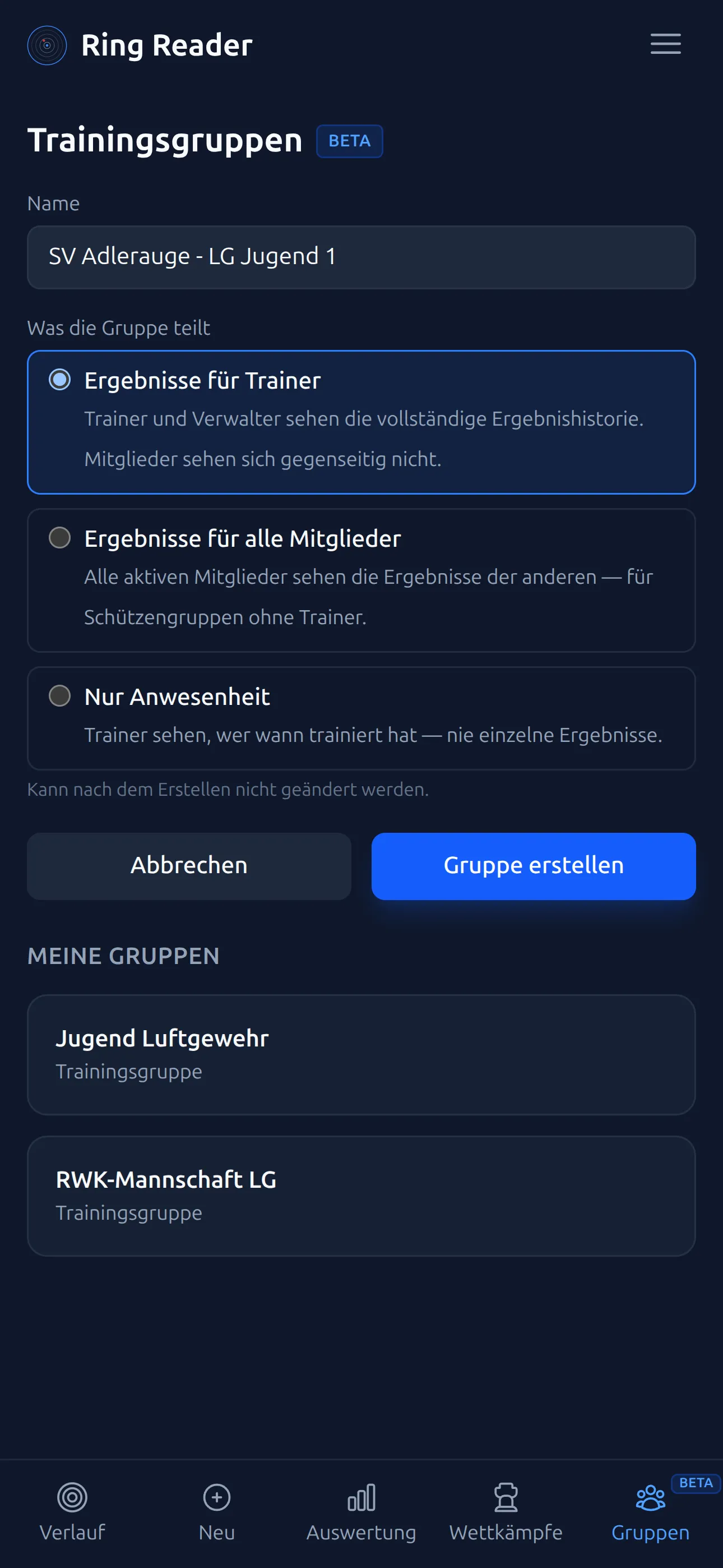
What you set when you create a roster
When you create a training roster, Ring Reader asks two questions. The first is who may see the results: only the trainers or every member. Then you choose whether the group shares full results or just attendance, meaning an entry like “was at training, shot 60 rounds”. Creating a roster, inviting members and roles are covered step by step in the chapter Training Rosters.
Both answers hold for as long as the group exists, and Ring Reader deliberately keeps them locked afterwards. Anyone who joins knows the rules beforehand and can rely on them being kept.
Club mode: document training in the club
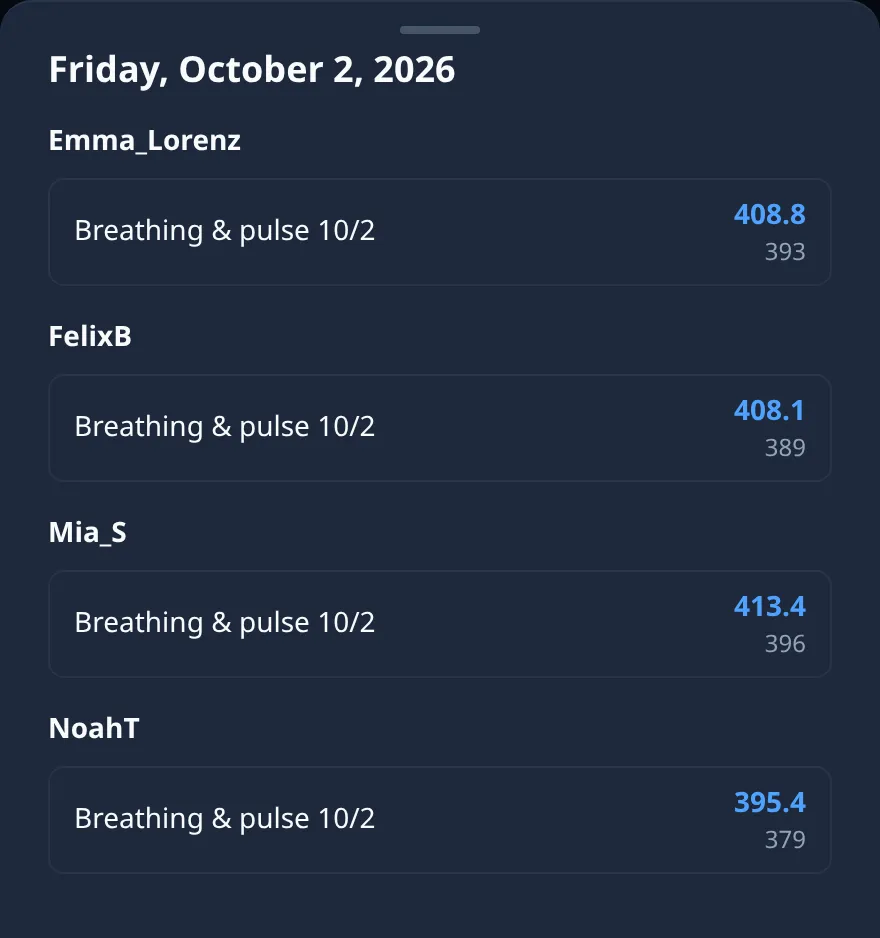
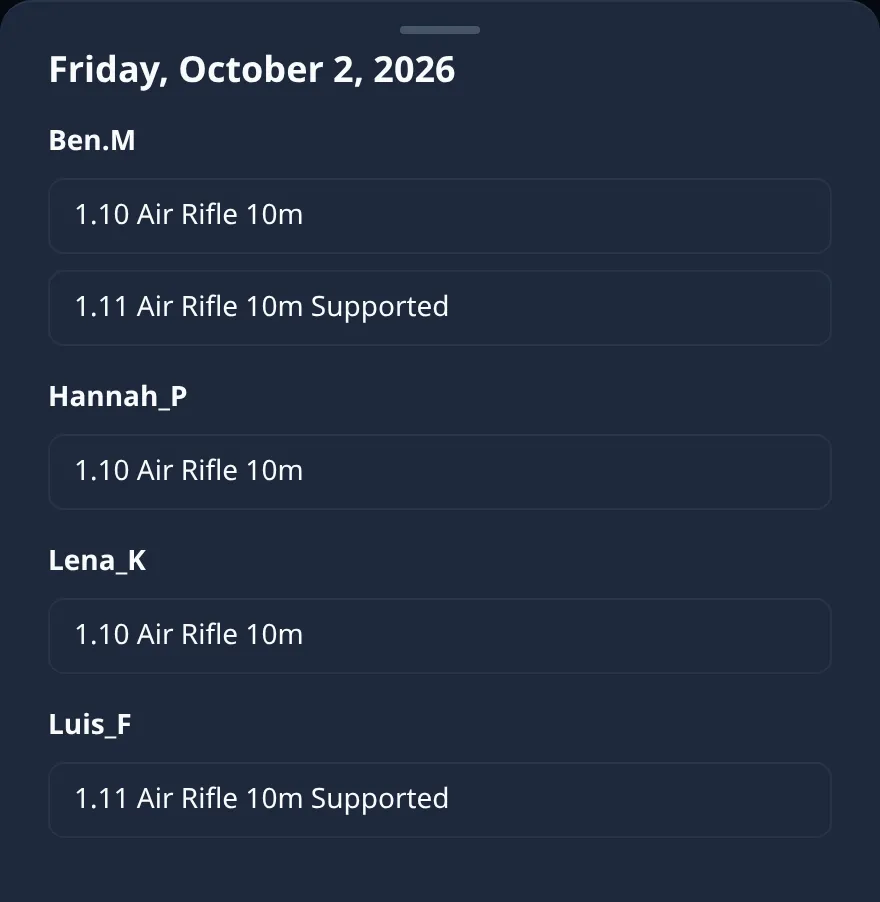
Here the trainer gets the overview that otherwise has to be collected by hand: who trained when and what came out of it. Every series counts, whether it stems from a target scan or reached the training diary through one of the 22 import routes. The members themselves see nothing of one another.
- Coach overview — who trained, when and with what result.
- PDF reports & protocols — for the athlete talk or the federation folder.
- Calendar view — how regularly each member trains.
Some groups find even that too much insight. For them there is the attendance variant: ring counts stay private and the trainer only sees who shows up regularly. Youth groups in particular start this way, because everyone involved agrees to that level more easily.
Open mode: share results in the group
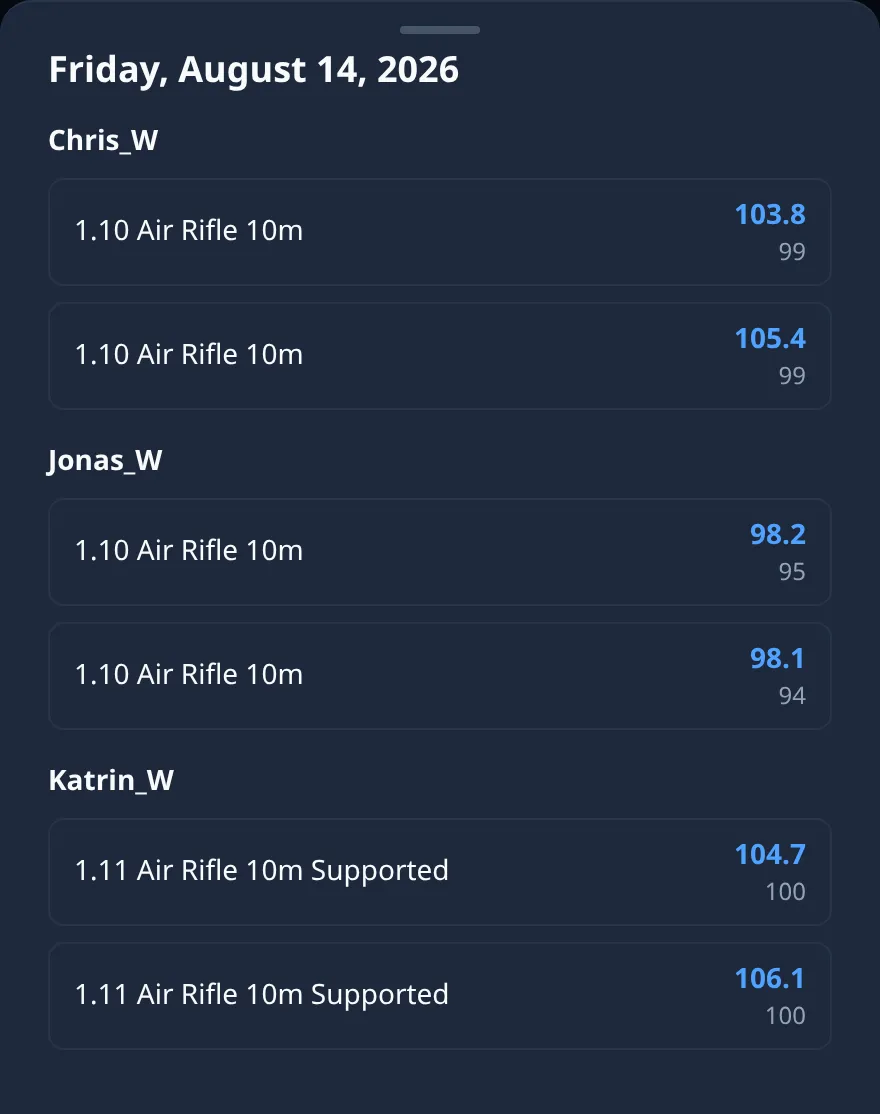
Here every member sees the results of all the others. It is meant for the family whose three shooters are spread across two clubs, or for the two friends who have been pushing each other for years.
A good series becomes a topic on the drive home. Tips arrive while the shot pattern is still fresh, and when somebody skips a week, the calendar view shows the whole group the gap.
Training roster or competition?
A challenge is a competition with a leaderboard and a fixed time frame. A training roster keeps running and shows how someone develops over months and whether training happens regularly. A club can combine both, as described in Getting Started for Clubs:
| Training roster | Challenge | |
|---|---|---|
| Time frame | runs indefinitely | fixed time frame |
| Goal | development over months | leaderboard & competition |
| Example | ongoing training | club championship |
More ideas for your training: measuring shooting progress and online challenges.
Frequently asked questions
Who sees my results in a training roster?
The group’s rules settle that, and you see them before you join: either only the trainers or all members. In the attendance variant the ring counts stay hidden even from the trainer; all that shows up is who trained.
Can the visibility be changed later?
No, that is intentional. What members were promised when they joined stays binding. If a group needs different rules, it starts a new one and every member decides again whether to come along.
Does this work with every capture route?
Yes. Everything that lands in a member’s training diary flows into the group view under the group’s rules, whether it comes from a target scan or through one of the 22 import routes.
Does the trainer have to be in the same club?
No. A training roster is tied to the people and their accounts; club and range play no part in it. An external coach works just the same as the family whose members shoot in two clubs.
Start your training roster and bring the others in.
Open Ring Reader